
Kangaroo: Simple Home Security
Kangaroo SecurityHouse & Home
3.61.32K Reviews
- Version
- 11.17.0
- Installs
- 500.00K
- Age Rating
- Everyone
Screenshots
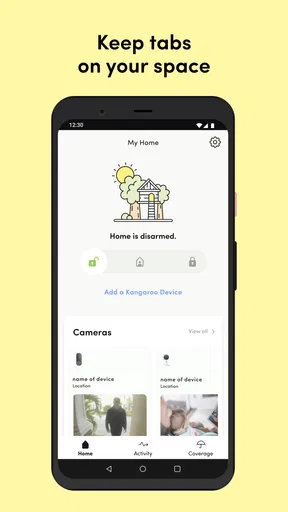
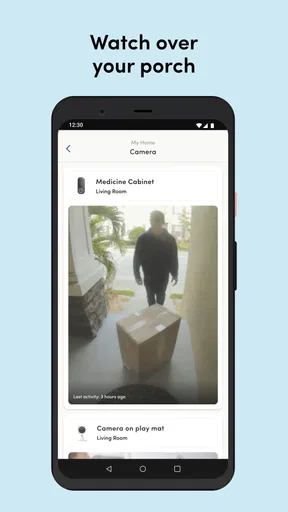
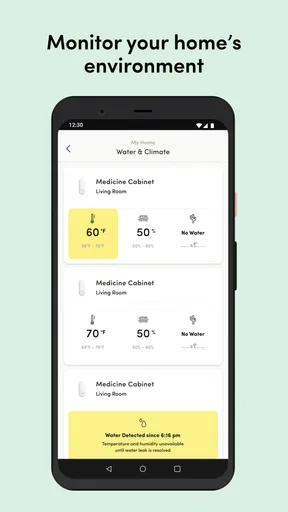
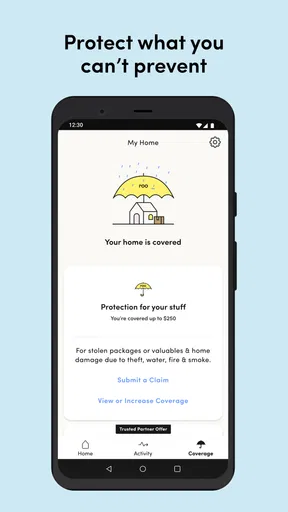
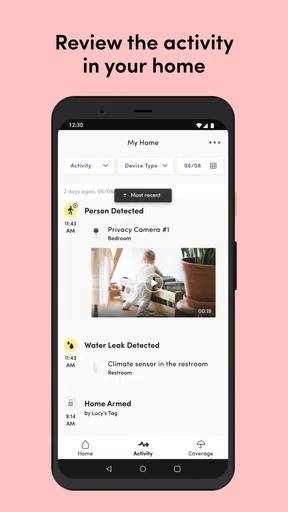
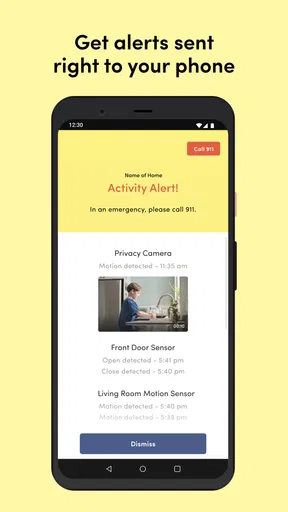
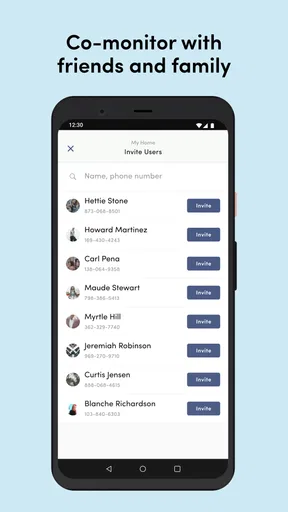
Our Review of Kangaroo: Simple Home Security
 Analysis by Appyee
I tried Kangaroo: Simple Home Security with a practical question in mind: would it still feel useful after the first week, when the excitement of setting up a new home app has disappeared? That is a better test than simply asking whether it can send an alert. Home protection only earns its place when checking it becomes easy, notifications remain meaningful, and the system does not turn into another chore.
This free House & Home app comes from Kangaroo Security and is aimed at people who want to keep an eye on their home from a phone. It is available for Everyone, supports devices running Android 7.0 or later, and its current version is 11.17.0. The basic appeal is straightforward: the app puts home awareness in your pocket instead of tying it to a fixed screen or a complicated control panel.
That simplicity is both its strongest quality and its main limitation. I found it easier to approach than a full smart-home platform, but users expecting a complete replacement for professional monitoring or a deeply configurable security hub may eventually want more. My overall impression is positive for light, everyday protection, provided you are willing to build a routine around it rather than treating installation as the finished job.
What feels good during the first week
The first days with a home-security app are usually about reassurance. You install it, connect the relevant equipment, look through the controls, and test what happens when you leave or return. Kangaroo’s identity is clear from the start: it is designed to keep home protection understandable rather than burying the user under technical language.
I especially like that the app makes sense for people who do not want to assemble a large smart-home ecosystem. Many alternatives begin with a wide dashboard covering lights, locks, cameras, thermostats, routines, and third-party integrations. That can be powerful, but it also creates decisions before the user has even decided what kind of protection is actually needed. Kangaroo takes a narrower route, which makes the first setup feel less intimidating.
That does not mean every household will have the same first experience. A security app is only as useful as the hardware and configuration supporting it, so the important early task is not merely opening the application. I would spend time deciding which alerts deserve immediate attention, which household members need access, and what should happen when someone is home. A system that is technically active but badly configured can create either false confidence or unnecessary anxiety.
My advice is to test it at ordinary moments rather than only during a formal setup session. Leave for a short errand, return at a normal time, and check whether the information you receive is clear enough to act on. Try the same process when another person in the home is present. This reveals a useful distinction: a security tool should fit real household movement, not just an empty-house scenario.
The app’s store summary describes home protection from anywhere, and that is the right way to understand its role. It is not a substitute for physically checking a door, speaking with a neighbor, or contacting emergency services when a situation is serious. Instead, it gives you a convenient layer of awareness while you are away. That makes it particularly appealing for renters, small households, and people who want a simpler starting point than a full connected-home installation.
During the first week, the most convincing benefit is the reduction in uncertainty. When I am away, I do not want to wonder whether I remembered to activate protection or whether something changed at home. A phone-based view can shorten that mental loop. The value is modest when everything is normal, but that is precisely when a good security app should stay out of the way.
Useful routines are more important than constant checking
A mistake I would avoid is opening the app repeatedly just to feel reassured. That habit quickly becomes tiring and does not necessarily improve safety. A better approach is to connect its use to moments that already exist: leaving for work, going to bed, starting a trip, or returning home. Those anchors make the application part of a routine instead of another feed demanding attention.
One realistic example is a weekend away. Before leaving, I would check the home state, make sure the intended protection mode is active, and then avoid repeatedly inspecting the phone unless an alert arrives. If something needs attention, the notification should prompt a decision. If nothing happens, the app has done its job quietly. This “check, act, disengage” pattern is more sustainable than living inside the dashboard.
Another useful scenario is a home with different schedules. One person may leave early, another may return late, and a delivery or visitor can make the usual pattern less predictable. In that situation, the app is most helpful when everyone understands the household rule: who changes the state, when they do it, and how others know that the change was intentional. Without that agreement, even a clear interface can produce confusion.
Whether it still earns attention after a month
The first-week appeal comes from novelty and reassurance. The month-to-month question is harder: does the app continue to solve a problem that matters? In my view, it can, but only when the household uses it as a background habit. The lasting value is not in opening it for entertainment; it is in making away-from-home checks and daily transitions less uncertain.
For a person who travels occasionally, the application may be most valuable during those periods when the home is empty. A trip creates several small worries that are easy to dismiss individually: did someone leave unexpectedly, did the household follow the agreed routine, and will an important notification be noticed? A focused security app can consolidate that awareness better than relying on memory or informal messages alone.
For someone who is home most of the time, the value may be less obvious. If the app is rarely opened and notifications do not correspond to meaningful decisions, it can become background clutter. That does not make it a poor product; it means the use case is narrower. I would recommend it more readily to people who genuinely need remote awareness than to someone collecting smart-home apps without a specific problem to solve.
The audience size suggests that this is not an obscure experiment. Kangaroo: Simple Home Security has passed half a million installs, while its average rating sits at 3.6 from roughly 3.1 thousand ratings. I read that combination as a sign of practical interest with mixed experiences rather than universal enthusiasm. The rating is respectable but not a reason to install blindly. It supports trying the free app carefully and judging whether its behavior fits your home.
The free price lowers the risk of that trial. I still would not confuse free installation with zero commitment. Your time, attention, phone notifications, and willingness to maintain household routines are all part of the real cost. If the app requires frequent correction in your particular setup, the absence of an upfront charge will not make that friction disappear.
Who gets the most lasting value
I think the strongest match is a person who wants a dedicated home-protection experience without turning the entire residence into a technology project. It also makes sense for someone who is often away, lives in a small property, or wants a straightforward way to stay aware of home activity. The Everyone age rating makes it approachable for a broad household, although adults should still decide how alerts and access are handled.
It may also suit a family that needs a shared routine more than advanced customization. The important benefit is not showing off a complicated setup; it is helping people agree on what “protected” means before they leave. That small conversation can prevent the common failure where one person assumes the system is active and another assumes someone else handled it.
I would be more cautious about recommending it to users who already depend on a broad security ecosystem. If your home revolves around several brands, detailed automation, professional monitoring, or specialized cameras and sensors, a larger platform may be a better central control point. Kangaroo’s simplicity is attractive when it removes unnecessary complexity, but it can feel restrictive when you specifically want one app to manage everything.
It is also not the right choice for someone who expects an app alone to provide complete protection. No phone application can remove the need for sensible locks, careful travel habits, working equipment, and a plan for responding to a serious alert. The app can support those measures, but it should not encourage you to ignore them.
The maintenance that determines its real value
Security products have a maintenance problem that is easy to overlook during installation. People remember to set them up, then forget to test whether their habits and equipment still match the original plan. With Kangaroo, I would treat maintenance as a short recurring check rather than a major project. The goal is to confirm that the system still reflects who lives in the home and how the home is used.
Start by reviewing household access whenever circumstances change. A new roommate, a family member’s schedule, a move, or a change in responsibility can make an old routine unreliable. The person who used to activate protection may no longer be the person leaving last. A few minutes spent updating the routine is more valuable than assuming yesterday’s arrangement remains correct.
Next, pay attention to the quality of notifications. If alerts are too frequent or arrive for situations everyone already understands, people start dismissing them. That is dangerous because alert fatigue does not happen all at once; it grows through small annoyances. When a notification appears, ask whether it leads to a clear action. If not, the household should reconsider the way the app is being used.
I would also schedule occasional real-world tests. Do not limit testing to the day of installation. A brief check after a period of travel, a change in phone usage, or a household schedule shift can reveal problems that remained invisible during normal weeks. The test should be calm and planned, with everyone aware of what is happening. That keeps experimentation from being mistaken for a genuine emergency.
Keeping the app current is another basic responsibility. The current release is 11.17.0, and I would avoid leaving an old installation untouched indefinitely. Updates can change how an app behaves, so after updating, I would perform a quick check of the main workflow rather than assuming everything feels exactly the same. This is a small habit, but security tools deserve more attention than ordinary casual apps.
There is a trade-off here. The simpler the app feels, the easier it is to believe that maintenance is unnecessary. In reality, simplicity helps only when the user keeps the underlying routine alive. Kangaroo can reduce the number of decisions involved, but it cannot decide who should respond to an alert, whether a household member is expected home, or what action is sensible in a particular situation.
Small habits that prevent bigger frustration
I would keep the app’s role clearly defined on the phone. If every household member receives every possible message, the result may be noise. If only one person receives everything, the system may depend too heavily on a single person. A practical arrangement should match the home: give relevant people enough awareness to act, but avoid turning ordinary movement into a stream of interruptions.
I would also avoid changing several parts of the routine at once. If an alert becomes confusing, adjust one setting or one household rule, then observe the result. This makes it easier to identify the source of the problem. Randomly changing multiple controls can produce temporary improvement while leaving the real cause untouched.
Finally, write down the response plan in plain language, especially if more than one person uses the home. Decide who checks first, who contacts another household member, and when outside help is appropriate. The app can deliver information, but a plan turns information into useful action. This is one of the less obvious ways to get more value from a simple security tool: the technology becomes the trigger for better household coordination.
Where fatigue and disappointment can appear
The biggest long-term risk is notification fatigue. At first, every message feels important because the system is new. Later, repeated low-value alerts can train you to swipe them away. That is why I would judge the app less by how many notifications it can generate and more by whether the notifications remain trustworthy and understandable in your specific home.
Another source of fatigue is the gap between a clean app concept and messy real life. People forget routines, guests arrive, schedules change, and household members make different assumptions. If using the app requires constant explanations, it may stop feeling like protection and start feeling like administration. The answer is not always a more advanced product; sometimes it is a simpler shared rule.
There is also the emotional burden of remote monitoring. An app that lets you check home status from anywhere can be comforting, but it can also encourage unnecessary checking. If you find yourself opening it repeatedly during a normal day, the product may be influencing your behavior in an unhelpful direction. I would use the app to support confidence, not to create a new cycle of worry.
Compared with ordinary alternatives, Kangaroo sits between doing nothing and building a complete professional-grade system. A basic camera app may be better when visual confirmation is your main need. A broad smart-home platform may be preferable when you want security tied to lights, locks, and other devices. Professional monitoring may be the stronger choice for people who want a dedicated response service rather than personal oversight.
On the other hand, those alternatives can bring more setup, more accounts, more devices, or more expense. Kangaroo’s appeal is that it concentrates on home protection and keeps the entry point approachable. If your needs are modest, that focus can be an advantage. If your needs are specialized, the same focus may feel like a boundary.
The app’s review count is around 1.3 thousand, which is enough to show that people have engaged with it beyond a handful of early users. I would still treat other people’s experiences as context, not a guarantee. Home layouts, phone habits, household size, and expectations vary widely. The most useful test is whether your own daily workflow remains clear after the first month.
My long-term verdict
After the novelty fades, I see Kangaroo: Simple Home Security as a practical lightweight option rather than an all-purpose security command center. Its free availability, approachable purpose, and focused House & Home positioning make it easy to try. The strongest reason to keep it installed is not the excitement of remote access; it is the steady reduction of uncertainty when you leave home or need a quick check.
I would recommend it to a person who wants simple home awareness, is comfortable taking responsibility for responding to alerts, and will spend a little time maintaining a shared routine. It is especially convincing when the household has a clear use case, such as frequent travel or irregular schedules. In that setting, the app can become a quiet part of leaving, returning, and checking in.
I would skip it in favor of a broader platform or a more specialized service if you need extensive integrations, professional response, or detailed control over a complex security installation. I would also skip it if you already know that you will ignore notifications or refuse to revisit settings when your household changes. No security app can compensate for a routine that nobody follows.
My final judgment is that the app earns lasting space when it is used deliberately. Install it, test the everyday workflow, agree on responsibilities, and review the habit occasionally. If it continues to provide clear information without demanding constant attention, it is doing exactly what a simple home-security companion should do. That balance—useful when needed, quiet when everything is fine—is what makes it worth keeping.
Verdict
Strengths of Kangaroo: Simple Home Security
- Quick setup makes it easy to start monitoring your home.
- Motion alerts help you notice activity while away.
- Live video lets you check in remotely when needed.
- Two-way audio supports communication with visitors or family.
- Simple controls are suitable for users new to security cameras.
Limitations of Kangaroo: Simple Home Security
- Some features may require a paid subscription.
- Reliable alerts depend on a stable internet connection.
- Video quality can vary with lighting and network conditions.
- Cloud recording may raise privacy concerns for some users.
- Battery-powered devices may need frequent recharging.
Similar Picks in This Category
View All
Universal TV Remote Control
CodeMatics Media Solutions3.9

AlfredCamera Home Security app
Alfred Systems Inc.4.7

Planner 5D: AI Home Design
Planner 5D4.5

Universal Tv Remote-Cast to TV
One Music Player4.1

Zillow: Homes for Sale & Rent
Zillow Group4.8

99acres Buy/Rent/Sell Property
infoedge.com4.3
Frequently Asked Questions
What is Kangaroo: Simple Home Security?
Kangaroo: Simple Home Security is a smart-home security app designed to help monitor your home through compatible Kangaroo devices. Depending on the equipment installed, the app can provide alerts for activity such as doors opening, motion, leaks, or changes in temperature. It brings device setup, notifications, monitoring, and account management together in one relatively simple mobile dashboard.
What devices are compatible with Kangaroo: Simple Home Security?
The app is intended for use with Kangaroo’s own range of connected security and home-monitoring products, such as entry sensors, motion detection devices, water-leak sensors, and related equipment. Compatibility can depend on the specific product, phone model, operating-system version, and region. Before downloading, check the current device requirements and confirm that your Kangaroo hardware is supported.
Does Kangaroo: Simple Home Security require a subscription?
Some Kangaroo features may be available without a paid plan, while advanced monitoring, extended event history, professional support, cellular backup, or other services can depend on the subscription selected. Pricing and included features may change over time and can vary by location or product bundle. Review the latest plan information carefully so you understand recurring costs before activating the system.
Can Kangaroo: Simple Home Security replace a professional security system?
Kangaroo can be useful for basic home awareness and self-monitoring, especially in apartments, smaller homes, or as an additional layer of protection. However, it should not automatically be considered a complete replacement for a professionally installed security system. Its effectiveness depends on compatible hardware, internet or cellular connectivity, correct placement, battery condition, and your ability to respond to alerts.
What permissions and internet connection does the app need?
Kangaroo: Simple Home Security generally needs an internet connection to communicate with connected devices and deliver remote notifications. During setup, it may request permissions such as Bluetooth, local-network access, notifications, location, or camera access, depending on the devices being paired and the features you use. Allow only the permissions required for reliable setup, monitoring, and alerts.
